
A professional wordpress speed optimization service should do more than install a caching plugin and tell you to aim for a higher PageSpeed score. If your WordPress website is slow, the real issue could be your hosting environment, an oversized hero image, inefficient JavaScript, plugin behavior, database work, third-party scripts, or several problems interacting at once. The right approach is to identify the bottleneck first, then make targeted changes without sacrificing design, functionality, or usability.
For businesses that depend on their website for leads, sales, bookings, or online visibility, performance deserves a systematic approach. Google recommends good Core Web Vitals as part of providing a strong page experience, but also makes clear that good scores alone do not guarantee higher search rankings.
What Does a WordPress Speed Optimization Service Include?
A professional optimization service typically begins with a performance assessment rather than immediately changing website settings.
The goal is to understand how the site behaves from several perspectives:
- Server response and hosting performance
- Page caching
- Image delivery
- CSS and JavaScript
- Plugin behavior
- Theme or page-builder output
- Fonts and third-party resources
- Database performance
- CDN configuration
- Mobile performance
- Core Web Vitals
- Real-world user experience
WordPress’s own performance documentation identifies hosting, plugins, content optimization, caching, compression, database tuning, and other infrastructure considerations as areas that can affect performance.
That is why there is no responsible one-click solution for every WordPress website.
A five-page local business website and a WooCommerce store with thousands of products may both report a poor performance score, but their underlying problems can be completely different.
Why a PageSpeed Score Is Not the Diagnosis
PageSpeed Insights is useful, but the number at the top of a report should not become the entire optimization strategy.
A website can receive a mediocre laboratory score because of a large image, excessive JavaScript, slow server response, or a third-party script. Each problem requires a different response.
For example, if the primary issue is a slow server response, compressing another image may have little effect. If the problem is excessive JavaScript execution, changing the hosting provider may not solve the browser-side bottleneck.
A better workflow is:
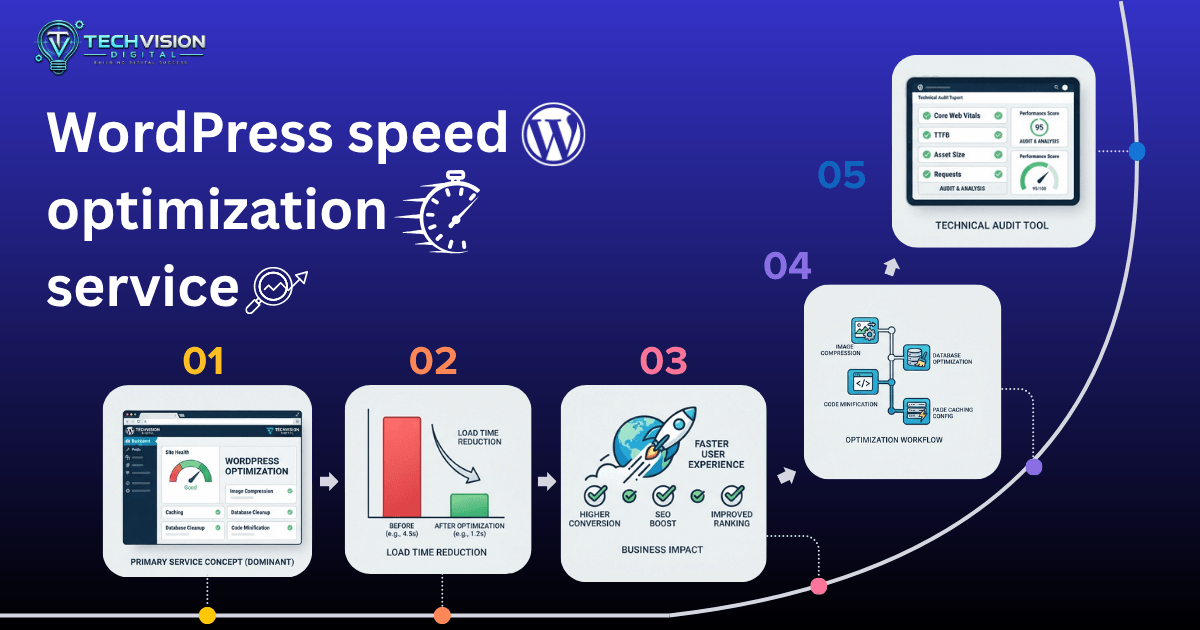
Measure → Diagnose → Optimize → Test → Monitor
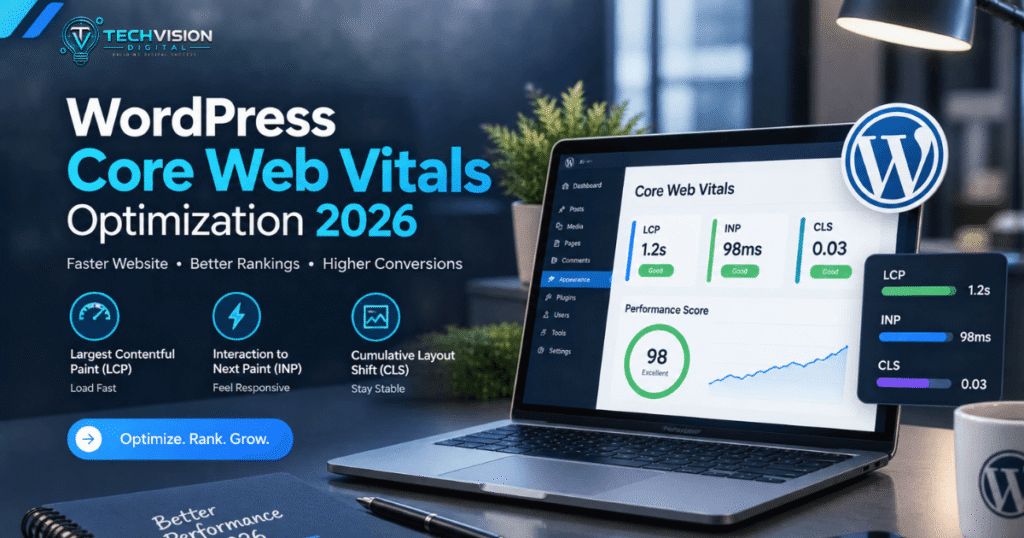
Core Web Vitals add another important layer because they focus on loading performance, responsiveness, and visual stability. Google’s current recommended good thresholds are an LCP of 2.5 seconds or less, INP below 200 milliseconds, and CLS of 0.1 or less.
These are useful performance targets—not promises that a particular score will produce a particular ranking outcome.
What a WordPress Performance Audit Should Look For
Before hiring a WordPress speed optimization provider, ask whether the service actually investigates the causes of poor performance.
A useful audit should consider at least four layers.
Server and Hosting Performance
The server is responsible for processing requests before the browser can receive the response.
High response times may be associated with hosting resources, server configuration, database work, caching, application processing, or network conditions.
Moving every website to expensive hosting is not automatically the answer. A small business site may need a very different infrastructure strategy from a high-traffic WooCommerce store.
Front-End Resources
The browser must download, parse, execute, and render resources before visitors can fully interact with the page.
Large images, unnecessary CSS, JavaScript, fonts, animations, embeds, and marketing scripts can all contribute to the workload.
A useful optimization process therefore examines what the page actually sends to the browser rather than assuming that a particular theme or plugin is automatically fast or slow.
WordPress Plugins and Themes
Plugins are not inherently bad for performance.
The more useful question is:
What does each plugin load, process, request, or add to the page?
One lightweight plugin may have very little impact, while another can introduce substantial JavaScript, database queries, external requests, or background processing.
The same principle applies to themes and page builders. The goal is not to remove functionality simply because it exists. The goal is to eliminate unnecessary work while preserving the features visitors and the business actually need.
Core Web Vitals and Real User Experience
A professional optimization process should consider more than a single laboratory test.
Google’s Web Vitals documentation distinguishes between lab measurements used for controlled testing and field measurements that reflect actual user experiences.
That distinction matters because a website can behave differently across devices, connections, locations, and real-world usage patterns.
How Professional WordPress Speed Optimization Works
A good optimization engagement should follow a controlled process. Making dozens of changes simultaneously may produce a faster page, but it makes it difficult to determine which changes actually helped—and whether something important was accidentally broken.
1. Establish a Performance Baseline
Before making changes, record the site’s current condition.
That baseline can include:
- Key landing pages
- Mobile and desktop behavior
- Core Web Vitals
- Largest Contentful Paint (LCP)
- Interaction to Next Paint (INP)
- Cumulative Layout Shift (CLS)
- Server response behavior
- Page size
- Number of requests
- Major scripts and styles
- Image sizes
- Cache behavior
The pages that matter most should receive priority. A homepage, primary service page, checkout page, and high-traffic landing page may deserve more attention than an obscure page that receives almost no visitors.
This also creates a meaningful reference point for later testing.
2. Identify the Actual Bottlenecks
The next step is diagnosis.
Suppose a homepage takes too long to become useful. Several different causes could be responsible:
Large above-the-fold image: The browser may need to download a resource that is unnecessarily large.
Slow server response: The page may be waiting too long before the browser receives the initial response.
Render-blocking resources: CSS or JavaScript may delay important rendering work.
Third-party scripts: Analytics, advertising, chat widgets, social embeds, or other external services can add browser and network work.
Excessive page-builder output: A visually simple section can sometimes generate more markup, styles, or scripts than expected.
The important point is that these problems should not all be treated with the same optimization setting.
Common WordPress Speed Optimization Techniques
Once the bottlenecks are understood, optimization becomes much more targeted.
Caching
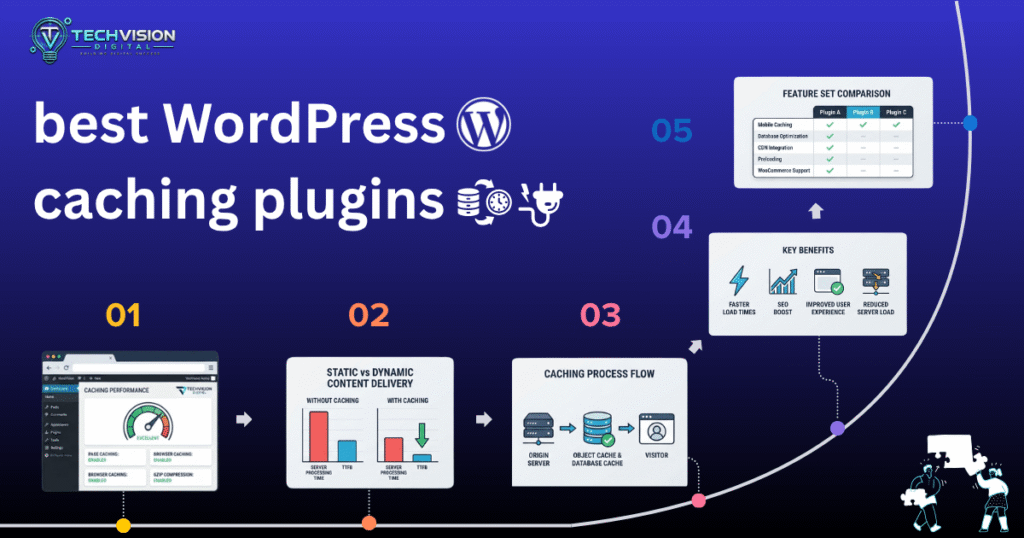
Caching can reduce the amount of work WordPress needs to perform for repeat requests.
Depending on the website and hosting environment, this may involve page caching, browser caching, object caching, or other caching layers.
However, caching needs to be configured carefully. Dynamic pages such as shopping carts, account areas, checkout pages, and personalized content may require different rules from ordinary informational pages.
A caching system that makes a static brochure site faster may require additional configuration on an eCommerce website.
Image Optimization
Images are one of the most common sources of unnecessary page weight.
A practical image optimization process may involve:
- Resizing images to their actual display dimensions
- Compressing oversized files
- Using modern image formats where appropriate
- Serving responsive image sizes
- Avoiding unnecessarily large background images
- Lazy-loading suitable below-the-fold images
- Prioritizing important above-the-fold imagery
The objective is not simply to make every image as small as possible. Excessive compression can visibly damage image quality, while indiscriminate lazy loading can delay important content.
The right optimization depends on where and how the image is used.
CSS and JavaScript Optimization
CSS and JavaScript can affect both loading and interactivity.
Potential improvements include removing unnecessary resources, reducing unused code, controlling script loading, and minimizing work that blocks or delays important rendering.
But aggressive optimization can introduce problems.
For example, delaying a script without understanding what it does could break a menu, form, slider, tracking implementation, or interactive component.
This is why experienced optimization work should include functional testing after significant changes.
Plugin and Theme Review
A speed optimization audit should examine the site’s plugins and theme rather than automatically recommending that everything be removed.
Questions worth asking include:
- Is the plugin actually required?
- What resources does it load?
- Does it affect every page or only specific pages?
- Does it perform database queries?
- Does it introduce external requests?
- Is another installed plugin providing overlapping functionality?
- Is the functionality worth its performance cost?
The same reasoning applies to themes and page builders.
The goal is not minimum plugin count at any cost. The goal is a sensible technical stack that provides the required functionality without unnecessary overhead.
WordPress Speed Optimization for Elementor Websites
Elementor websites deserve particular attention because visual flexibility can introduce additional markup, styles, fonts, widgets, animations, and scripts.
That does not mean Elementor websites are automatically slow.
Performance depends on how the website is built and configured.
A useful audit can examine:
- Unused widgets and elements
- Excessive nested containers
- Large background images
- Custom fonts
- Animation effects
- Third-party widgets
- CSS and JavaScript loading
- Mobile-specific layouts
- Repeated design elements
- Template structure
For example, if a visually simple hero section contains several animations, multiple font files, a large background image, and third-party components, optimizing the image alone may not address the complete problem.
The better approach is to identify which resources contribute meaningful value and which create unnecessary work.
WooCommerce Requires a Different Performance Strategy
A WooCommerce store cannot always be optimized like a static business website.
Product filtering, cart functionality, checkout, customer accounts, inventory information, payment integrations, analytics, and other dynamic features can create additional requirements.
That means aggressive page caching or script optimization needs to respect the store’s functionality.
For an online store, performance work should therefore consider important user journeys such as:
- Landing on a product page
- Browsing categories
- Using filters
- Adding a product to the cart
- Viewing the cart
- Starting checkout
- Completing payment
A store that scores well on a simple homepage test but becomes frustrating during checkout has not necessarily been meaningfully optimized.
When Should You Hire a WordPress Speed Optimization service Expert?
Professional help becomes particularly useful when standard optimization steps have stopped producing meaningful improvements.
You may want a specialist when:
- Your website remains slow after basic caching and image optimization.
- Core Web Vitals remain problematic.
- You are unsure what is causing the slowdown.
- Performance changes keep breaking site functionality.
- Your website uses Elementor or another complex builder.
- You operate a WooCommerce store.
- Your hosting environment needs investigation.
- Several plugins interact in ways that are difficult to diagnose.
- You need performance improvements without redesigning the website.
- You want a technical audit before changing infrastructure.
If the problem is simply one oversized image, hiring a specialist may be unnecessary. But when multiple systems interact, professional diagnosis can save considerable trial and error.
What Should You Ask Before Hiring a WordPress Speed Optimization Service?
Do not evaluate providers solely by promises such as “100/100 PageSpeed” or “instant WordPress speed.”
Instead, ask practical questions.
Will you audit the website before making changes?
A provider should understand the problem before prescribing the solution.
Which pages will you optimize?
A homepage-only optimization may not address the pages that generate leads or sales.
How will you measure improvement?
The provider should be able to explain which performance indicators will be evaluated.
Will you test the site after optimization?
Performance changes should be followed by functional checks.
What happens if an optimization breaks something?
There should be a clear rollback or troubleshooting process.
Do you optimize for mobile as well as desktop?
Mobile users can experience very different performance characteristics from desktop visitors.
Will you explain what you changed?
A trustworthy provider should be able to communicate the work clearly rather than treating optimization as a black box.
A good WordPress speed optimization service should leave you with a better-performing website and a clearer understanding of what was changed and why.
How Much Does WordPress Speed Optimization Cost?
The cost of professional WordPress performance work varies considerably because the scope of the problem varies.
A simple business website with a handful of performance issues may require a relatively focused optimization project. A WooCommerce store, membership website, multilingual site, or heavily customized WordPress installation can require substantially more investigation and testing.
Instead of choosing a provider based solely on the lowest price, evaluate what the service actually includes.
A useful proposal should make clear:
- What pages will be reviewed
- Whether a performance audit is included
- Which performance issues will be investigated
- Whether mobile performance is included
- Whether Core Web Vitals are evaluated
- Whether plugin and theme conflicts are considered
- Whether caching and CDN configuration are included
- Whether functional testing is performed
- Whether post-optimization testing is included
- What happens if additional development work is required
A low-cost service that only changes a few plugin settings may be appropriate for a simple problem. It should not be presented as equivalent to a technical performance audit involving hosting, database behavior, JavaScript, third-party resources, and application-level issues.
What Results Should You Expect From WordPress Speed Optimization?
A responsible provider should avoid guaranteeing a particular PageSpeed score or ranking position.
Performance depends on factors outside the optimization provider’s complete control, including hosting resources, visitor location, network conditions, third-party services, website functionality, and future content changes.
Instead, look for measurable improvements in the areas that actually matter.
Depending on the website, that may include:
- Faster server response
- Improved loading of important page content
- Better Core Web Vitals
- Smaller page payloads
- Fewer unnecessary requests
- Better mobile responsiveness
- More efficient caching
- Reduced JavaScript work
- Improved image delivery
- More consistent performance across important pages
The correct success criteria should be established from the site’s baseline rather than chosen arbitrarily.
What a Professional Optimization Process Should Not Do
Speed improvements should not come at the expense of the website itself.
Be cautious if an optimization proposal involves:
- Removing important functionality simply to improve a score
- Disabling essential tracking without discussing the consequences
- Breaking interactive elements
- Aggressively delaying every JavaScript file
- Lazy-loading content that users need immediately
- Replacing important images with visibly poor-quality versions
- Making changes without backups or a rollback plan
- Treating a single PageSpeed score as the only success metric
Performance is part of the user experience, not a competition for the largest number on a testing tool.
A technically faster website that has broken navigation, missing product information, malfunctioning forms, or an unusable checkout is not a successful optimization project.
Frequently Asked Questions
Is WordPress speed optimization worth paying for?
It can be worthwhile when performance problems are difficult to diagnose, affect important business pages, or remain after basic optimization. The value depends on the severity of the problem and the business impact of improving the website.
Can you guarantee a 100 PageSpeed score?
A responsible provider should not guarantee a specific score. Testing tools use different conditions, and real-world performance depends on devices, networks, locations, content, third-party resources, and other variables.
Does WordPress speed optimization improve SEO?
Performance can contribute to a better user experience and Core Web Vitals are part of Google’s page experience considerations, but speed optimization alone does not guarantee better rankings. Content relevance, quality, technical accessibility, authority, and many other signals also matter.
Should I install more optimization plugins?
Not automatically. Additional plugins can sometimes help, but adding tools without understanding the existing setup can introduce conflicts or duplicate functionality. The better question is which performance problem needs to be solved and which implementation is appropriate.
Can a slow Elementor website be optimized without rebuilding it?
Often, yes. The appropriate approach depends on what is causing the performance problems. Images, fonts, widgets, scripts, animations, CSS, third-party resources, hosting, and page structure may all need examination before deciding whether a rebuild is necessary.
Is a CDN necessary for every WordPress website?
No. A CDN can be useful, particularly when visitors are geographically distributed or a site needs to offload static resources, but it is not automatically the correct first fix for every website. WordPress documentation identifies CDN and content offloading as one of several performance strategies.
Conclusion: Choose Diagnosis Over Guesswork
A good wordpress speed optimization service should begin with diagnosis, not a checklist of plugins.
The strongest optimization process looks at the entire performance chain: hosting and server response, WordPress configuration, caching, images, CSS and JavaScript, plugins, themes, third-party resources, database behavior, and the actual pages visitors use.
The objective is not to make a testing tool display an impressive number at any cost. It is to make the website faster, more responsive, more stable, and easier for real visitors to use while preserving the functionality the business depends on.
If basic caching, image compression, and routine WordPress maintenance have not solved your performance problems, a technical audit can help identify what is actually holding the site back.
Need help evaluating a slow WordPress website? TechVision Digital can review the performance problem, identify the likely bottlenecks, and recommend an appropriate optimization approach for your website.